
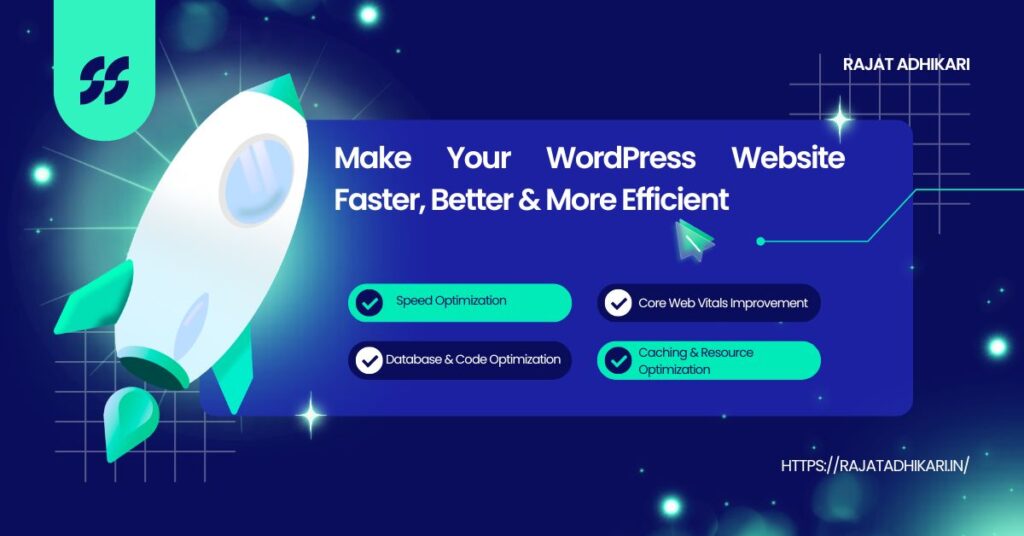
WordPress Website Performance Optimization
WordPress Website Performance Optimization is a complete technical process that improves website loading speed, responsiveness, Core Web Vitals, server response time, frontend rendering, and overall user experience. First, I analyze the complete website environment because performance depends on multiple layers. These include hosting, server configuration, WordPress and PHP execution, database queries, themes, plugins, CSS, JavaScript, images, fonts, third-party scripts, caching, CDN delivery, and frontend architecture.
Therefore, I focus on practical improvements that reduce unnecessary processing and deliver content faster. I provide WordPress website speed optimization for standard WordPress websites, custom WordPress websites, WooCommerce websites, and headless WordPress websites. Moreover, I identify performance bottlenecks before applying targeted improvements. As a result, you can optimize WordPress website performance, improve page speed, enhance Core Web Vitals, and create a smoother experience across desktop and mobile devices.
WordPress Website Performance Optimization Services
My WordPress Website Performance Optimization services focus on finding and fixing the actual causes of slow loading, poor responsiveness, and weak Core Web Vitals. Instead of simply installing a caching plugin, I first audit the website and then apply improvements based on the bottlenecks I find.
What I Optimize
During a performance project, I can improve:
- Performance Analysis: WordPress audit, Core Web Vitals, PageSpeed Insights, and Lighthouse analysis.
- Server Performance: TTFB, server response time, hosting, PHP, and server configuration.
- Caching & CDN: Page caching, browser caching, and CDN configuration.
- Images & Fonts: Image compression, WebP/AVIF, responsive images, lazy loading, and font optimization.
- CSS & JavaScript: CSS optimization, JavaScript optimization, and reduction of unused CSS and scripts.
- WordPress Core: Plugin performance analysis and database optimization.
- Third-Party Resources: Optimization of analytics, tracking codes, widgets, and other external scripts.
- Mobile Performance: Responsive delivery and mobile-focused performance improvements.
My Optimization Process
- Audit: I identify the main performance bottlenecks.
- Analyze: I determine whether the problem comes from the server, database, plugins, frontend, or external resources.
- Optimize: I apply targeted technical improvements.
- Test: I measure the results across desktop and mobile.
- Refine: Finally, I make additional adjustments where necessary.
Why This Approach Works
Every website has different performance issues. Therefore, my WordPress website performance optimization services and WordPress performance optimization services use a problem-focused strategy rather than a one-plugin solution. As a result, my WordPress website optimization services target measurable improvements without adding unnecessary tools or configurations.
Custom WordPress Website Speed Optimization
Custom WordPress websites often need more than basic caching plugins. Therefore, my WordPress Website Performance Optimization approach goes deeper into the code, database, server, and frontend architecture. I first identify the actual bottleneck and then apply targeted improvements instead of using the same settings on every website.
Code-Level Performance Optimization
Custom websites can include custom themes, Elementor or other page builders, PHP functions, custom post types, REST APIs, AJAX requests, WooCommerce features, third-party integrations, and custom JavaScript. Consequently, inefficient code or unnecessary requests can increase loading time.
I can optimize:
- PHP Code: Remove unnecessary processing and improve PHP execution.
- Database Queries: Reduce excessive queries and improve inefficient database operations.
- CSS & JavaScript: Control plugin assets and load files only where required.
- AJAX Requests: Reduce unnecessary requests and improve request handling.
- REST APIs: Optimize custom API requests and response handling.
- Frontend Assets: Reduce JavaScript, optimize asset loading, and remove unnecessary code.
- WooCommerce: Optimize cart, checkout, product, and dynamic functionality.
My Optimization Process
- Audit the code: I locate inefficient functions, queries, and assets.
- Find the bottleneck: Next, I determine what actually slows the website.
- Optimize selectively: I remove unnecessary code and improve execution.
- Test results: Finally, I test desktop and mobile performance.
Performance Focus: Effective WordPress website speed optimization should solve the real technical problem. It should not simply add more plugins or generic settings.
As a result, my WordPress speed optimization services focus on cleaner code, fewer unnecessary requests, faster execution, and better overall website responsiveness.
WordPress Headless CMS Website Speed Optimization
Headless WordPress uses a different performance architecture. Instead of rendering every page through WordPress, the WordPress CMS manages content while a separate frontend, such as React or Next.js, delivers the user-facing website. Therefore, the performance flow typically looks like:
Key Performance Optimization Areas
During WordPress Website Performance Optimization, I can improve:
- API Performance: Reduce unnecessary REST API and GraphQL requests and cache API responses.
- Frontend Rendering: Use server-side rendering, static generation, or incremental static regeneration where appropriate.
- CDN Delivery: Cache static content closer to users for faster delivery.
- JavaScript: Reduce bundle sizes, use code splitting, and optimize hydration.
- Images: Compress images and deliver optimized formats and responsive sizes.
- Critical Resources: Preload important fonts, CSS, and other resources.
- Backend: Optimize WordPress, PHP execution, database queries, and API responses.
- TTFB: Improve server response time and reduce backend processing delays.
Headless Does Not Guarantee Speed
However, headless WordPress does not automatically guarantee better performance. Excessive API requests, large JavaScript bundles, inefficient rendering, unoptimized images, weak caching, or slow backend responses can still make a website slow.
Therefore, my WordPress website speed optimization approach focuses on the actual bottleneck. I analyze the complete architecture first and then apply targeted improvements for faster loading, better responsiveness, and a smoother user experience.
How to Speed Up WordPress Website Performance
If you want to know how to speed up WordPress website performance, start with a proper technical audit. Instead of changing random settings, follow a structured process to find and fix the real bottleneck.
1. Audit the Website
First, I analyze PageSpeed Insights, Lighthouse, Core Web Vitals, network requests, page size, server response time, rendering behavior, and resource loading. This step creates a clear performance baseline.
2. Find the Actual Bottleneck
Next, I determine whether the problem comes from:
- Hosting, server configuration, or PHP execution
- Database queries or WordPress plugins
- Theme or custom code
- CSS and JavaScript
- Images and fonts
- APIs and third-party services
3. Optimize the Website
Afterward, I apply targeted improvements, such as:
- Caching and CDN configuration
- Image and asset optimization
- CSS and JavaScript optimization
- Database cleanup and query optimization
- Server-side performance improvements
4. Test Desktop and Mobile
Then, I test both environments and review LCP, INP, CLS, and TTFB. Moreover, I compare resource loading and page responsiveness across devices.
5. Validate the Results
Finally, I run the same tests again and compare the results with the original baseline. Therefore, my WordPress Website Performance Optimization process focuses on measurable improvements rather than an arbitrary PageSpeed score.
The goal is to optimize WordPress website performance for faster loading, smoother interactions, and a better real-world user experience.
Contact Me
Need help with WordPress website performance optimization? Let’s improve your website speed and user experience.
WhatsApp: +91-9045078234